






Quick Summary
Choosing the right resume format—whether chronological, functional, or hybrid—is the secret to capturing a recruiter's attention and easily passing automated Applicant Tracking Systems (ATS). By aligning your resume structure with your specific experience level, you can confidently highlight your greatest strengths, whether you are a fresher showcasing your academic potential or a seasoned professional proving career growth. If you are ready to make your job search easier and more successful, the expert counselors at SetMyCareer are here to provide the personalized guidance and tools you need to build a standout application with absolute confidence.
Introduction
When you start looking for a new job, putting your application materials together can feel like trying to solve a complex puzzle. You might wonder how to present your unique background in a way that immediately grabs a hiring manager's attention. The secret often lies not just in the words you write, but in how you structure them. Choosing the right resume format is the first major step toward telling your professional story clearly and confidently, whether you are a recent graduate, a seasoned professional, or someone planning a major career transition.
Every career path is unique, which is why there is no single layout that works for everyone. Navigating the competitive job market in 2026 requires a strategic approach; your layout must highlight your strengths while naturally presenting your work history in the best possible light. By matching your career journey to the correct resume format, you make it easy for employers to see your value and understand exactly what you bring to the table.
In this guide, we will break down the three primary layouts—chronological, functional, and hybrid—explaining who they work best for and why. You will learn how to evaluate your own work experience and choose the structure that aligns perfectly with your goals. Let's take the stress out of your job search and build a resume that opens the right doors for your future.
What is a Resume Format?
A resume format is the structural arrangement of your professional history, skills, education, and achievements on a page. This layout determines how hiring managers read your career journey, helping them quickly identify your qualifications, evaluate your job readiness, and match your skills to open roles.
Selecting the correct layout is one of the most significant decisions in a job search. It serves as the foundation of your professional presentation. When your document is organized logically, it respects the recruiter's time, as most hiring managers spend only a few seconds reviewing each application before making an initial decision. A structured format highlights your accomplishments rather than burying them under disorganized blocks of text.
Moreover, modern hiring processes rely heavily on automated screening software. This makes the technical design of your application as important as its physical appearance. By adopting an established structural framework, you ensure both human eyes and computer algorithms can easily comprehend your career trajectory, educational background, and unique value proposition.
The Three Core Types of Resume Layouts
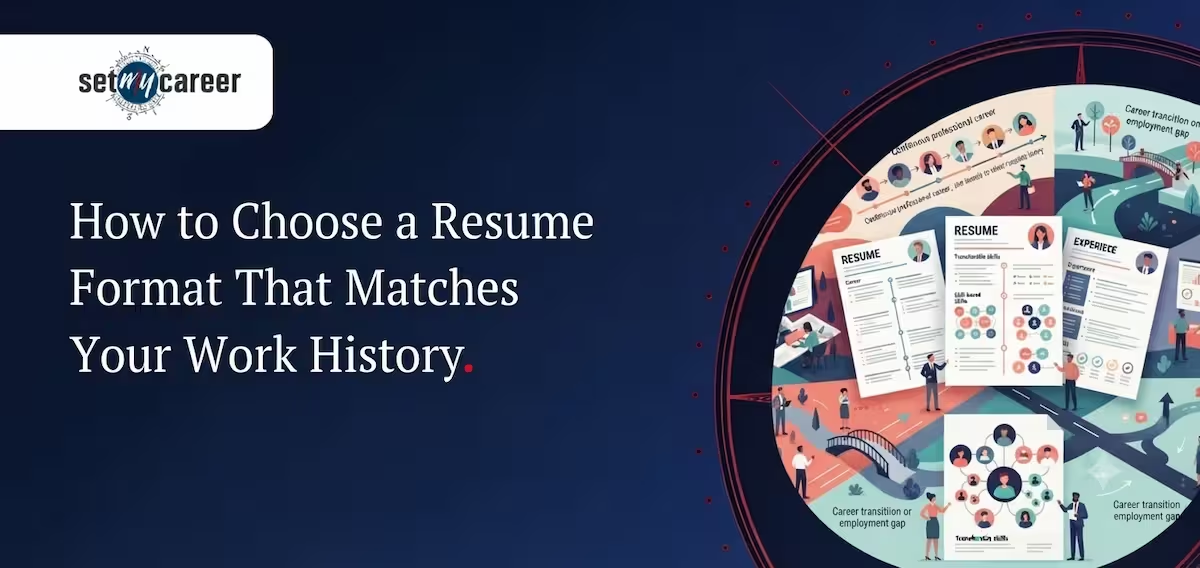
To craft an effective application, job seekers must understand the three standard frameworks used across global industries. Each structure serves a distinct purpose, highlighting different facets of an individual’s career progression, technical expertise, or academic foundation. Choosing the wrong layout can inadvertently emphasize employment gaps or downplay significant leadership experience.
| Resume Layout | Primary Focus | Best Suited For | Key Advantage |
|---|---|---|---|
| Chronological Layout | Work history in reverse order | Professionals with steady upward growth | Favored by traditional recruiters and easily parsed |
| Functional Resume | Skill categories and expertise | Career changers, those with employment gaps | De-emphasizes dates and operational gaps |
| Hybrid Resume Template | Equal weight to skills and chronology | Experienced specialists and mid-level managers | Highlights key strengths while proving career stability |
1. The Chronological Layout: Best for Steady Career Progression
The reverse-chronological layout is the most widely recognized structure in recruitment. It organizes professional experiences in reverse chronological order, placing the most recent job at the top and working backward. This pattern allows recruiters to observe career advancement, promotion patterns, and long-term stability instantly.
- Clearly demonstrates career progression and increasing responsibilities over time.
- Minimizes administrative confusion for recruiters by presenting an easy-to-follow timeline.
- Optimizes compatibility with scanning systems due to its straightforward linear path.
- Ideal for individuals staying within the same industry with consistent work histories.
2. The Functional Resume: Highlighting Skills Over Timeline
A functional resume shifts the focus from where and when you worked to what you actually know how to do. Instead of a detailed timeline of past positions, this layout groups your professional achievements into major skill themes, such as project management, technical design, or client relations, placed near the top of the page.
This layout is particularly useful for individuals re-entering the workforce after an extended period or those executing a dramatic industry shift. By grouping competencies together, applicants can demonstrate how their transferable skills apply directly to the target role, even if their chronological timeline contains gaps or unrelated job titles.
3. The Hybrid Resume Template: Combining History and Expertise
The hybrid resume template, sometimes called a combination format, blends the strengths of both chronological and functional styles. It begins with a prominent, detailed skills summary that groups competencies into functional categories, followed by a concise, chronological work history section that validates those skills with actual job titles and dates.
This balanced approach is excellent for professionals who possess highly technical skills alongside solid work histories. It ensures that while the recruiter is instantly impressed by specific certifications or technical capabilities, they still receive the sequential work history required to verify professional stability and career growth.
How to Choose the Best Resume Format for Freshers and Professionals
Choosing the best resume format for freshers or experienced professionals requires matching your work history depth with the right structure. Entry-level applicants benefit from skill-focused designs, while seasoned professionals achieve greater success by prioritizing sequential advancement using a structured reverse-chronological template.
Your current career stage dictates the best approach to document design. Aligning your layout with your actual level of experience prevents you from highlighting areas where you might be weak. For example, a candidate with decades of experience will appear disorganized using a purely functional layout, whereas a student will find a strict chronological structure leaves the page looking bare.
| Career Stage | Recommended Structure | Target Sections to Emphasize | Design Goal |
|---|---|---|---|
| Entry-Level (Freshers) | Functional or Modified Hybrid | Academic projects, internships, skill sets | Highlight potential, aptitude, and specialized training |
| Mid-Level Professional | Hybrid or Chronological | Key achievements, metrics, progressive roles | Demonstrate operational ownership and functional expertise |
| Senior Executive | Reverse-Chronological | Leadership metrics, revenue impact, board relations | Showcase strategic vision and long-term business impact |
Format Selection Guide for Entry-Level Job Seekers
Recent graduates and those entering the workforce for the first time face a unique challenge: demonstrating readiness without years of formal employment. Utilizing the best resume format for freshers ensures that your academic achievements, self-study, and personal projects take center stage.
- Highlight academic coursework that relates directly to the target industry or target role.
- Emphasize extracurricular leadership roles, volunteer work, or university club involvement.
- List technical skills, certifications, and language proficiencies prominently near the top of the document.
- Draft detailed descriptions of academic capstones or group projects to show practical application of theory.
Format Selection Guide for Experienced Professionals
For individuals with a rich history of industry experience, the primary objective is distillation and impact. The focus must shift from daily tasks to strategic outcomes, team management, and quantifiable achievements. A reverse-chronological layout remains the industry standard for this group because it highlights long-term dedication, progressive promotions, and continuous learning.
When documenting senior roles, focus on writing achievements that use metrics, such as revenue generated, cost reductions achieved, or team size managed. Avoid listing basic operational responsibilities that are already assumed for your level; instead, show how you executed those responsibilities more effectively than your peers.
Step-by-Step Guide: How to Write a Resume Format That Gets Results
Learning how to write a resume format involves selecting a clean layout, organizing contact information, detailing relevant professional history, and listing specific skills. Job seekers must align their career achievements with targeted job descriptions, ensuring every section contributes directly to showing clear value to employers.
Building a professional document requires a systematic approach. Rather than writing aimlessly, follow a structured process that ensures your document is easy to read, visually balanced, and aligned with modern corporate expectations. Using a verified professional resume format download can serve as an excellent starting point, giving you a clean grid to organize your unique professional narrative.
| Formatting Element | Standard Recommendation | Common Mistakes to Avoid |
|---|---|---|
| Margins | 0.5 to 1.0 inch on all sides | Extremely narrow margins that make the page look cluttered |
| Font Size | 10 to 12 pt for body; 14 to 16 pt for headings | Using hard-to-read decorative fonts or tiny sizes |
| Spacing | 1.15 to 1.5 line spacing | Dense blocks of text without white space |
- Header & Contact Information: Place your full name, phone number, professional email address, and LinkedIn profile link at the very top. Avoid listing sensitive personal details like date of birth or complete home addresses.
- Professional Summary: Write a concise, three-sentence paragraph highlighting your years of experience, core area of expertise, and your primary career goal.
- Professional Experience: List past employers, locations, job titles, and dates. Under each role, use bullet points that start with action verbs and include metrics.
- Skills Section: Group your skills into categories such as technical proficiencies, soft skills, and tool expertise to make them highly skimmable.
- Education & Certifications: Include your degrees, institution names, graduation years, and any continuous learning credentials relevant to the job.
Optimizing Your Document for ATS Compliance
ATS compliance refers to structuring a document so that Applicant Tracking Systems can accurately read, parse, and categorize its content. Employers use these database tools to filter through high volumes of applications, matching keyword relevance before a human ever reviews the file.
Even the most impressive career achievements will go unnoticed if the tracking software cannot process your file. Automated parsers read text left-to-right and top-to-bottom, which means complex graphic designs, charts, and unusual layouts can confuse the software, resulting in a blank or corrupted profile inside the recruiter's system.
| ATS-Friendly Practices | ATS-Unfriendly Practices |
|---|---|
| Standard headings like "Work Experience" or "Skills" | Creative headings like "Where I've Been" or "My Superpowers" |
| Using bullet points to list information | Using tables, columns, or text boxes to organize main content |
| Saving files in standard PDF or DOCX formats | Uploading resumes as image files (JPEG, PNG) or complex HTML |
| Integrating exact keywords from the job description | Using buzzwords or keyword-stuffing in tiny white fonts |
To maximize your chances of clearing automated filters, structure your document with simplicity in mind. Use standard formatting rules to ensure your credentials match what the algorithm is seeking:
- Avoid placing important contact details inside the header or footer fields, as some older parsing software cannot read these sections.
- Align your skills and job titles precisely with the terminology used in the target job advertisement.
- Utilize universally accepted bullet points like simple dots or squares rather than custom icons or emojis.
- Choose standard system fonts such as Arial, Calibri, or Georgia to prevent text parsing errors.
Choosing the Right Resume Format for Your Success
Selecting the right resume format is about more than just aesthetics; it is about telling your unique career story in a way that highlights your greatest strengths. Whether you are an experienced professional showing steady growth, a career changer focusing on transferable skills, or a recent graduate highlighting your academic achievements, your layout should work for you, not against you.
Taking the time to match your resume format with your actual work history ensures that hiring managers can instantly see the value you bring to the table. It turns your job application into a clear map of your potential, helping you stand out to recruiters and pass applicant tracking systems with ease.
If you are still unsure which path is right for you, or if you want to make sure your professional documents are polished to perfection, you do not have to figure it out alone. Connect with our expert career counselors at SetMyCareer today. We will help you identify your strengths, choose the ideal resume format, and build a powerful application that confidently opens the door to your next opportunity.