






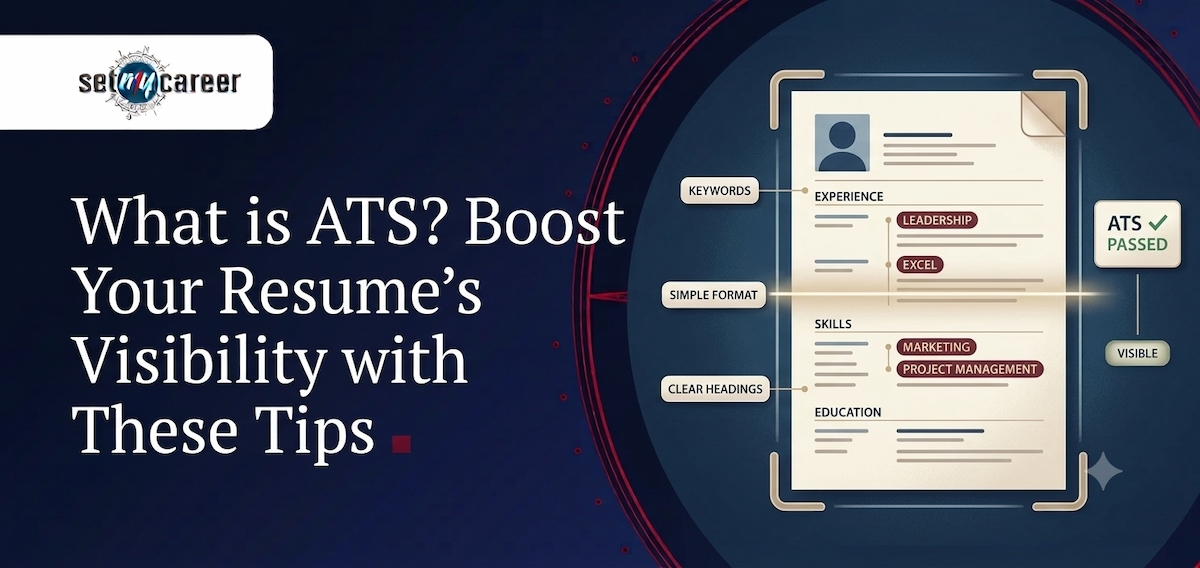
Sending a carefully crafted resume into the digital void of a job portal is a frustrating experience. You spend hours perfecting your application, hit submit, and then hear absolutely nothing. In many cases, a human being never even saw your document. That happens because the vast majority of modern companies rely on Applicant Tracking Systems (ATS) to filter and rank candidates long before a recruiter gets involved.
Understanding ATS systems is important for job seekers during a career change.
These automated systems act as the primary gatekeeper in the hiring process. They scan incoming applications for specific keywords, formatting structures, and hard skills, passing only the most relevant candidates through to the next stage. Whether you are a recent graduate trying to land your first role or a seasoned professional aiming for an executive position, understanding the mechanics of an ATS is no longer optional—it is a mandatory part of a successful job search.
By optimizing your resume to satisfy these digital filters, you dramatically increase the odds that your application will actually be read by a hiring manager. Let’s break down exactly how these systems work and explore practical strategies to ensure your resume survives the initial screen.
What is an Applicant Tracking System (ATS) and Why Does It Matter?
An Applicant Tracking System is specialized human resources software used by employers to organize, manage, and streamline the recruitment process. When a company posts a job, they often receive hundreds—or even thousands—of applications. It is impossible for a recruiting team to read every single one manually.
To solve this volume problem, the ATS automates the initial screening. The software parses (reads and categorizes) your resume, extracting your contact information, work history, education, and skills. It then compares this extracted data against the specific requirements of the job description. The system assigns a match rate or score to your profile, effectively ranking you against every other applicant.
If your resume lacks the right keywords, or if the software cannot read your document due to complex formatting, your profile is pushed to the bottom of the pile. For job seekers, this means that even if you are the most qualified person for the job, a poorly optimized resume will prevent you from ever getting an interview.
How Exactly Does an ATS Scan and Parse Your Resume?
To beat the system, you need to understand how it reads your document. Applicant Tracking Systems are highly literal. They strip away your design and convert your document into plain text to analyze the raw data.
To ensure your information is categorized correctly, you must focus heavily on structural clarity and precise language.
- Data extraction priorities: The software specifically hunts for recognizable patterns like your name, phone number, email address, job titles, dates of employment, and specific technical skills.
- Left-to-right reading logic: Most parsers read straight across the page. If you use multi-column layouts, the software often scrambles the text, mixing your job duties with your education dates.
- Simplicity wins: Complex tables, charts, background images, and unique graphical elements cannot be processed. When an ATS hits a graphic, it either skips it entirely or outputs an error, leaving critical sections of your profile blank.
Proven Tips for Optimizing Your Resume for Applicant Tracking Systems
Getting past automated filters does not mean you have to write a robotic resume. You simply need to present your professional background in a way that is easily digestible for both the software and the human recruiter who will read it next. Follow these core strategies to make your resume highly ATS-friendly.
Strategically Integrate Relevant Keywords
The most important step in ATS optimization is keyword alignment. The software is programmed to look for the exact terms used in the job description. Read through the posting and identify the core hard skills, required software, and primary responsibilities. If the job description specifically asks for "Agile Methodology" and "Search Engine Optimization," do not write "Scrum" and "SEO." While a human knows those are related, an older ATS might not recognize the synonyms. Mirror the exact phrasing used by the employer wherever it accurately reflects your real experience.
Stick to Simple, Text-Based Formatting
While a heavily designed, colorful resume might look great printed out, it is a nightmare for screening software. Avoid using text boxes, complex header/footer sections, or background images. Instead of using a visual pie chart to demonstrate your language proficiency or technical skills, list them out clearly in standard text. A clean, single-column layout with clear spacing is always the safest and most effective choice.
Use Standard, Predictable Section Headings
An ATS relies on standard headings to navigate your document and categorize your data. While you might be tempted to use creative titles to stand out, this will only confuse the software. Stick to conventional industry standards:
- Use "Work Experience" or "Professional Experience" instead of "My Career Journey."
- Use "Education" instead of "Academic Background."
- Use "Skills" instead of "Core Competencies" or "What I Bring to the Table."
Tailor Your Resume for Every Single Application
There is no such thing as one perfect resume. Because every job description uses different keywords and prioritizes different skills, you must tweak your resume for every role you apply to. You do not need to rewrite the entire document from scratch, but you should adjust your professional summary, swap out specific bullet points, and reorder your skills section to ensure the most relevant information is placed front and center for the ATS.
Use Standard Bullet Points for Maximum Clarity
Paragraphs are difficult for humans to skim and harder for an ATS to parse for specific achievements. Organize your daily duties and major accomplishments into concise bullet points. Start each bullet with a strong action verb (e.g., Managed, Developed, Executed) and include measurable results. Stick to standard bullet point shapes—like solid black circles or simple squares. Custom icons, arrows, or checkmarks can be misread as error characters by older parsing software.
Avoid Complex Fonts and Special Characters
Legibility is just as important for software as it is for the hiring manager. Stick to universally accepted, standard fonts like Arial, Calibri, Garamond, or Times New Roman. Do not use custom downloaded typography, and avoid excessive use of italics or underlining, which can sometimes cause parsing errors. Keep the visual presentation crisp, clean, and highly professional.
Conclusion
Navigating the modern job market requires more than just raw talent; it requires a strategic understanding of how recruitment technology operates. Optimizing your resume for Applicant Tracking Systems is the most effective way to bridge the gap between hitting "Submit" and actually landing an interview. By meticulously aligning your keywords, maintaining clean and predictable formatting, and tailoring your experience to match the specific needs of the employer, you ensure your application stands out to both the digital filters and the human decision-makers.
If you are struggling to get past the initial screening phase or need expert guidance on how to strategically position your professional background, SetMyCareer is here to help. Reach out to our career counseling experts for personalized resume optimization and take the next confident step toward your career goals.